Highway Driving Assist operation
Highway Driving Assist display
The status of the Highway Driving Assist operation appears in Driving Assist mode on the instrument cluster. Refer to the "View modes" section in chapter 4.
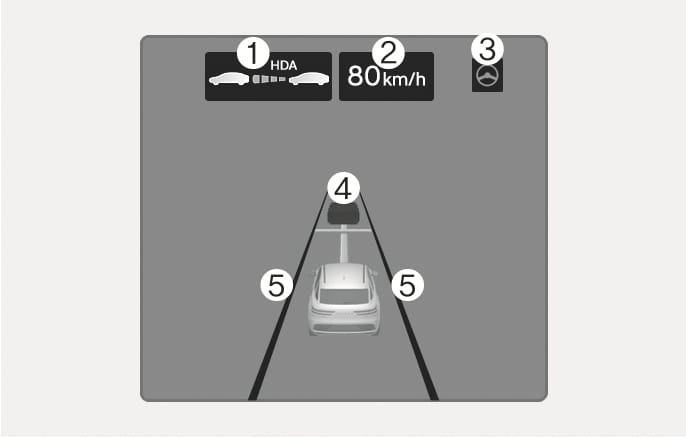
2C_HDAActiveIndicatorInfo
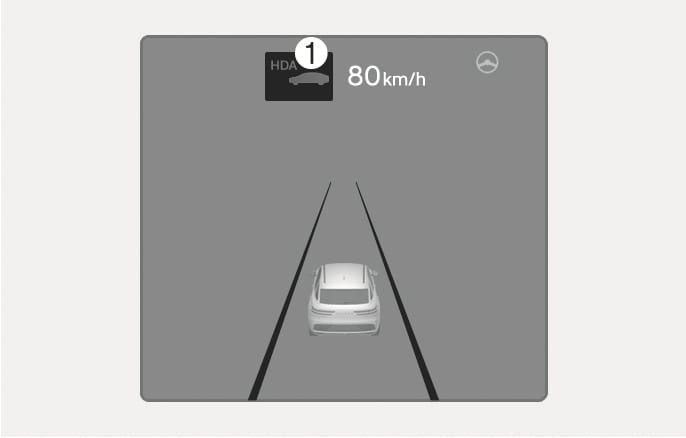
2C_HDAReadyIndicatorInfo
-
Indicates if there is a vehicle ahead and the selected distance level appears.
-
Highway Driving Assist indicator (
ĥ )-
Green HDA: Operating state
-
Gray HDA: Standby state
-
White HDA blink: Accelerator pedal depressed
-
Non-display: Off state
-
-
-
Set speed appears.
-
Lane Following Assist light appears.
-
Detected ahead and the selected vehicle distance appears.
-
Whether the lane is detected or not appears.
-
For more information on the display, refer to the "Smart Cruise Control (SCC)" and "Lane Following Assist (LFA)" sections in this chapter.
-
The images and colors in the instrument cluster may differ depending on the cluster type or theme selected from the settings menu.
Highway Driving Assist operation
Highway Driving Assist operates when:
-
You have pressed the Driving Assist button after entering or driving on controlled access roads.
-
Entering or driving on controlled access roads with both Lane Following Assist and Smart Cruise Control operating.
Restarting after stopping
When Highway Driving Assist is operating, your vehicle stops if the vehicle ahead of you stops. Also, if the vehicle ahead of you starts moving within 30 seconds after the stop, your vehicle starts as well. If your vehicle has stopped and 30 seconds have passed, the "Use switch or pedal to accelerate" message appears on the instrument cluster. Depress the accelerator pedal or push the
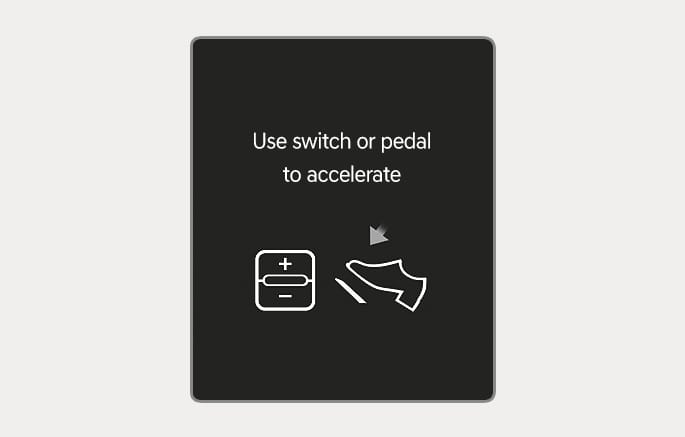
2C_SCCReStartInfo
Hands-off warning
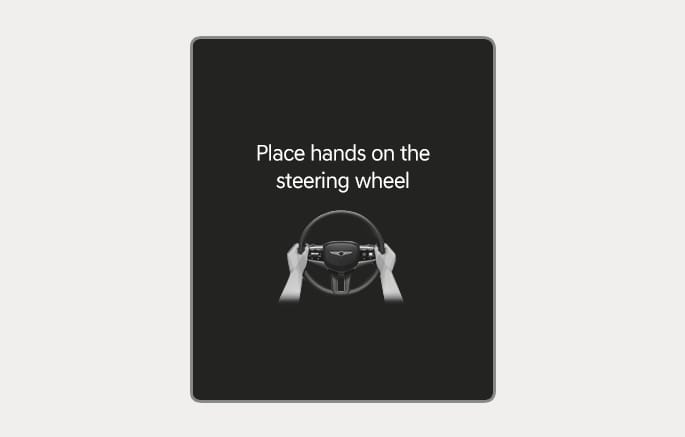
2C_HandOffWarningInfo
If you take your hands off the steering wheel for several seconds, the "Place hands on steering wheel" (or "Keep hands on steering wheel") warning message may appear on the instrument cluster, and an audible warning sounds in successive stages.
First stage: Warning message
Second stage: Warning message (red steering wheel) and audible warning
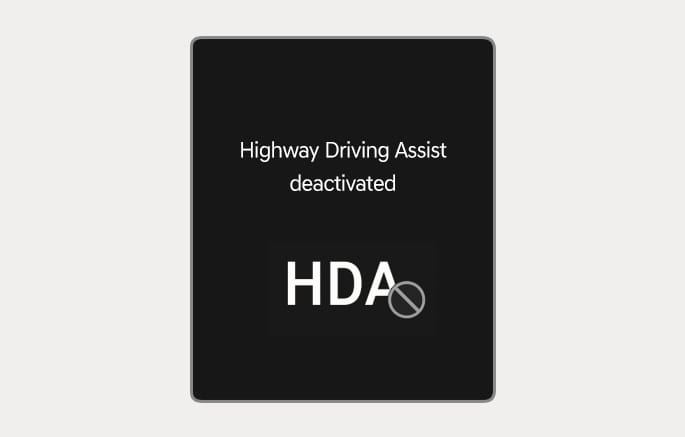
2C_HDADeactivatedWarning
If you do not have your hands on the steering wheel after the hands-off warning, the "Highway Driving Assist deactivated" (or "HDA (Motorway Driving Assist) sys. cancelled") warning message may appear and Highway Driving Assist and Lane Change Assist are automatically canceled.
Driving speed limit
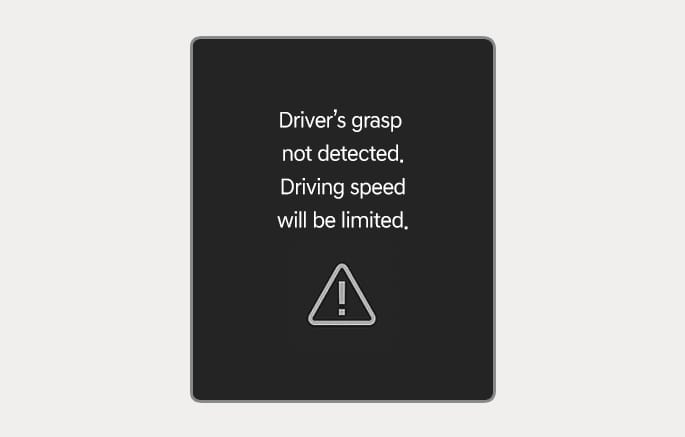
2C_HDAHandOffWarning
When Highway Driving Assist is canceled by the hands-off warning, The driving speed will be limited.
While Driving Speed Limit function is operating, the "Driver's grasp not detected. Driving speed will be limited." warning message appears on the instrument cluster, and an audible warning sounds continuously.
Driving to one side within lane
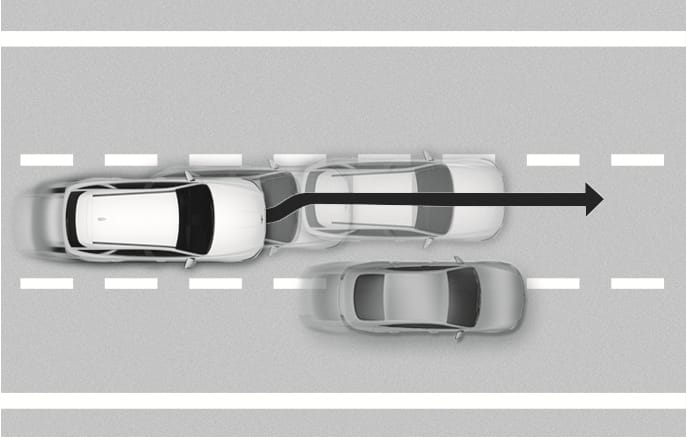
2C_HDADrivingToOneSide
When vehicle speed is above 60 km/h (40 mph), if a detected vehicle around you is driving at a close distance, your vehicle controls the steering in the opposite direction of the vehicle. If a vehicle is detected at both sides of the lane and are driving close to you, the function does not veer to the opposite side of the lane.
Highway Driving Assist standby
When the Smart Cruise Control is temporarily cancelled while Highway Driving Assist is operating, Highway Driving Assist goes into the standby state. At this time, Lane Following Assist operates normally.
-
Driving Speed Limit helps you drive below 60 km/h (40 mph). At this time, the vehicle decelerates due to the vehicle ahead. After the vehicle has decelerated, it cannot automatically accelerate.
-
Driving Speed Limit cancels when:
-
The driver grabs the steering wheel again
-
The driver turns on Lane Following Assist by pressing the Lane Driving Assist (
q ) button -
î ,ï ,è switch, orƝ button is operated, or the accelerator pedal or the brake pedal is depressed
-