Highway Driving Assist malfunction and limitations
2C_FCADysfunction
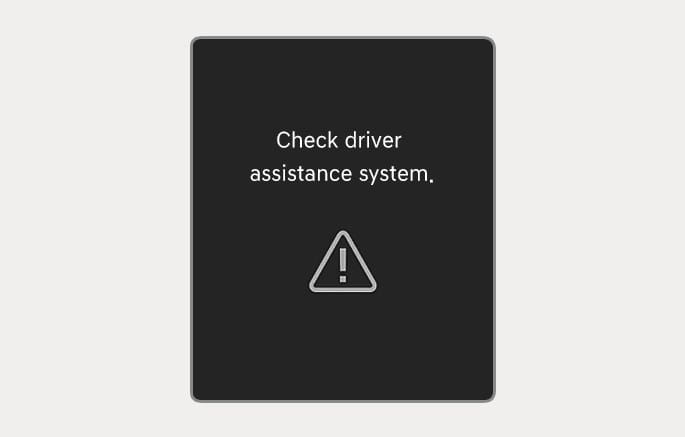
When Highway Driving Assist is not working properly, the "Check driver assistance system." warning message may appear and the
-
You can check the warning message in the Utility view on the cluster display.
Always check road conditions, and if necessary, take appropriate actions to drive safely. Highway Driving Assist is a supplemental function only and it is not a self driving or autonomous driving system.
To prevent serious injury or death:
-
Always have your hands on the steering wheel whilst driving.
-
Always have your eyes on the road and pay attention. It is your responsibility to avoid violating traffic laws.
-
Highway Driving Assist may not be able to recognise all traffic situations and may not detect possible collision hazards. Obstacles such as vehicles, motorcycles, bicycles, pedestrians, or unspecified objects or structures (e.g. guardrails and tollbooth) may not be detected.
-
Highway Driving Assist turns off automatically under the following situations:
-
You are driving on roads where Highway Driving Assist does not operate, such as rest area, intersection, junction, etc. However, Highway Driving Assist may be maintained in some sections.
-
The navigation does not operate properly such as when the navigation system is updating or restarting.
-
-
Highway Driving Assist may inadvertently operate or turn off depending on the road conditions (based on the navigation system information) and surroundings.
-
Lane Following Assist may be temporarily disabled when the front view camera cannot detect lanes properly or the hands-off warning is on.
-
The hands–off warning message may appear early or late depending on how the steering wheel is held or road conditions.
-
You may not hear the audible warning of Highway Driving Assist if the surrounding environment is too noisy.
-
When your vehicle is driven at high speeds through a curve, your vehicle may depart from your driving lane if you do not maintain control.
-
When you are towing a trailer or another vehicle, turn off Highway Driving Assist.
-
Highway Driving Assist may not operate immediately after the engine is started or when the sensors or navigation system is initialised.
Refer to the "Driver Assistance System sensors" section in this chapter for the location and the general precautions of the front view camera, front radar, front corner radar, and rear corner radar.
Highway Driving Assist may not operate normally or may not operate if:
-
The map information differs from the actual road conditions because the navigation system has not been updated, or there is a real-time GPS data or map information error.
-
The infotainment system is overloaded by simultaneously performing functions such as route search, voice recognition, etc.
-
GPS signals are blocked in an area such as tunnel.
-
You depart from the navigation route or the route to the destination is changed or cancelled.
-
Your vehicle enters a service station or rest area.
-
Android Auto or Car Play is operating.
-
The navigation system cannot detect the current vehicle position (e.g. elevated roads including overpass adjacent to general roads or nearby roads exist in a parallel way).
-
A trailer or towbar mounted carrier is connected to your vehicle.
For more information on the limitations of the front view camera, front radar, front corner radar, and rear corner radar, refer to the "Forward Collision-Avoidance Assist (FCA)" section in this chapter.