Driver Assistance System sensors
The Driver Assistance Systems on your vehicle uses cameras and sensors to detect potential hazards in the vicinity of your vehicle.
Cameras
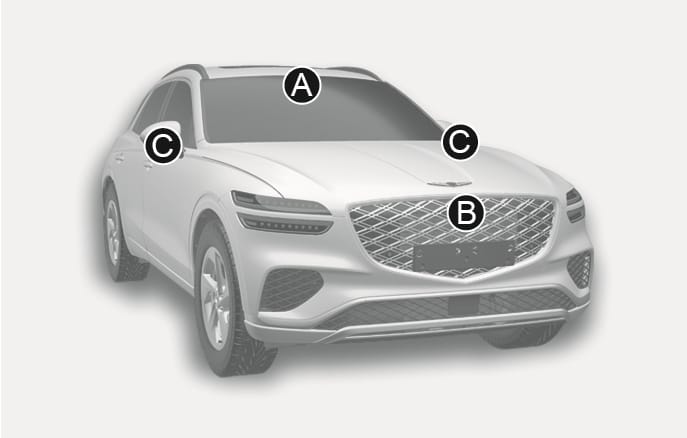
2C_FrontCameraPosition
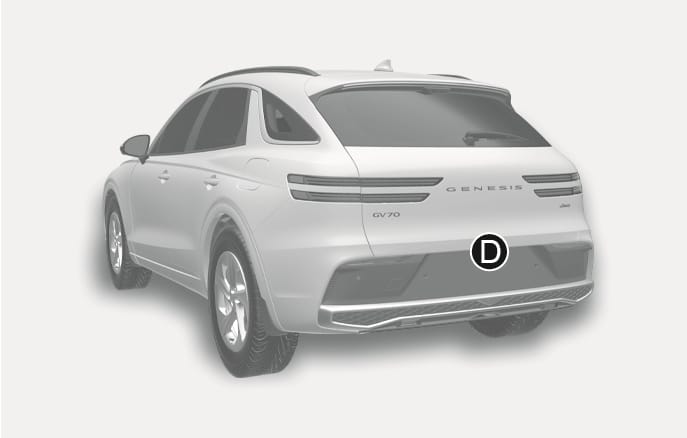
2C_RearCameraPosition
The actual shape may differ from the images.
- Front view camera
- Wide-front view camera (if equipped)
- Wide-side view camera (if equipped)
- Wide-rear view camera
To prevent serious injury or death:
-
Never disassemble the camera sensors or camera sensor assemblies.
-
We recommend that the detecting sensor be replaced or repaired by an authorised Genesis repairer.
-
Never install any accessories, stickers, or tint the front windscreen.
-
Always keep the camera dry.
-
Never place any reflective objects (e.g. white paper, mirror) on the instrument panel.
-
Do not use any cleanser containing acid or alkaline detergents when cleaning the camera lenses. Use only a mild soap or neutral detergent, and rinse thoroughly with water.
Radars
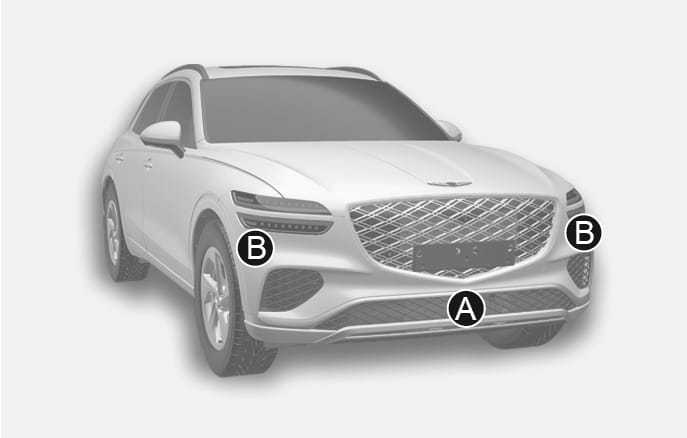
2C_FrontRadarPosition
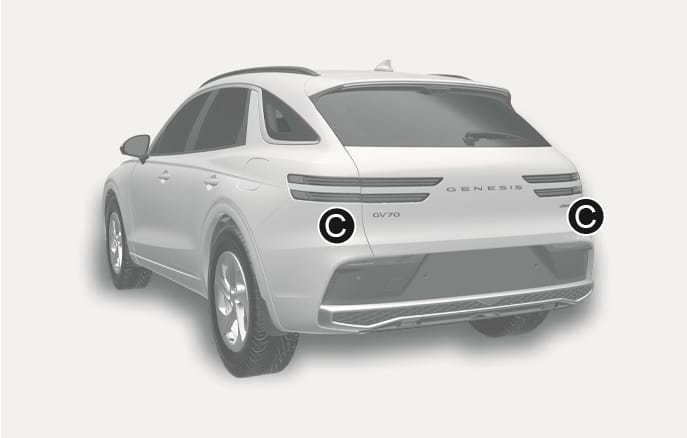
2C_RearRadarPosition
The actual shape may differ from the images.
- Front radar
- Front corner radar (if equipped)
- Rear corner radar
To prevent serious injury or death:
-
Never disassemble the radar or radar assembly, and never apply any impact on it.
-
If there is impact on or near the radar, the sensors may be damaged or not be properly aligned near the radar, even though a warning message does not appear on the instrument cluster, Driver Assist Systems may not operate properly. We recommend that your vehicle be inspected by an authorised Genesis repairer.
-
If the radar have been replaced or repaired, we recommend that your vehicle be inspected by an authorised Genesis repairer.
-
We recommend that genuine Genesis parts are used to repair the bumper where the radar is located. Their performance have been proven.
-
Do not install a licence plate frame or other objects such as bumper sticker, film, bumper guard, or bumper wrap near the radar.
-
Driver Assistance system may not work properly if the bumper has been replaced, or the area surrounding the radar has been damaged or painted.
-
If a trailer or towbar mounted carrier is attached, it may adversely affect the performance of the rear corner radar or the system may not operate.
Ultrasonic sensors
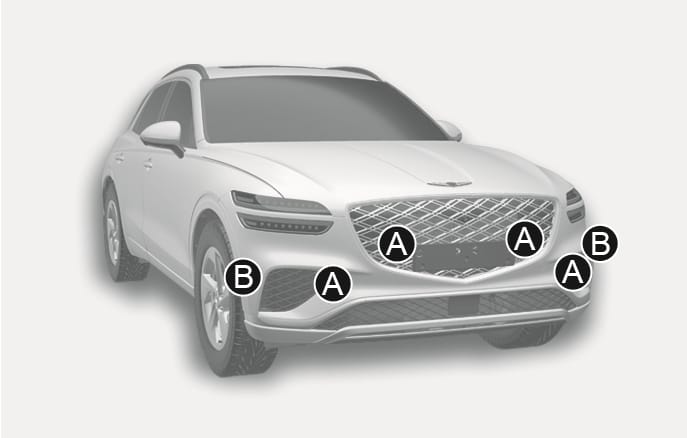
2C_FrontUltrasonicSensorLocation
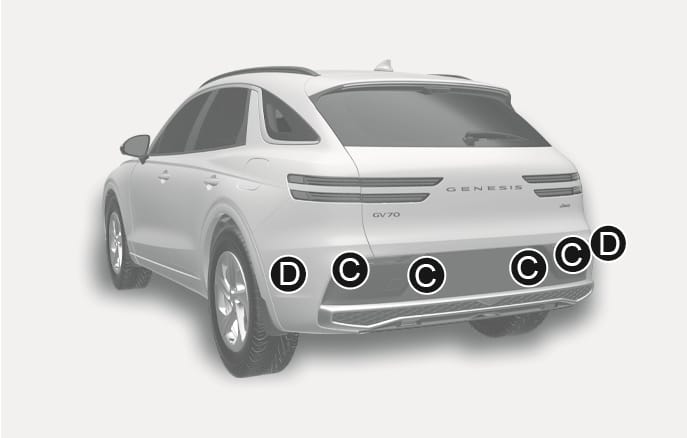
2C_RearUltrasonicSensorLocation
The actual shape may differ from the images.
- Front ultrasonic sensors
- Front side ultrasonic sensors (if equipped)
- Rear ultrasonic sensors
- Rear side ultrasonic sensors (if equipped)
To prevent serious injury or death:
-
Always keep the ultrasonic sensors clean.
-
Do not spray the ultrasonic sensors or the surrounding area directly with high pressure water.
-
Do not apply objects such as bumper sticker or bumper guard, near the ultrasonic sensors and never apply paint to the bumper or other locations.
-
Never disassemble or strike the ultrasonic sensor components.
-
Do not modify the vehicle bumper height or ultrasonic sensor installations. Any non-factory installed equipment or accessories may interfere with the sensor performance.
-
If the ultrasonic sensors have been forcibly moved out of proper alignment or are damaged, we recommend that the vehicle be inspected by an authorised Genesis repairer.