Smart Cruise Control malfunction and limitations
2C_FCADysfunction
When Smart Cruise Control is not working properly, the "Check driver assistance system." warning message may appear and the
-
You can check the warning message in the Utility view on the cluster display.
2C_SCCDisabledInfo
If the front radar is covered or blocked, its detecting performance is reduced, and Smart Cruise Control is temporarily limited or disabled.
If this occurs, the "Driver assistance system limited. Radar blocked" warning message will appear for a certain period of time on the cluster display. for several seconds, and the master (
If Smart Cruise Control does not operate normally after the sensor has been uncovered or unblocked, we recommend that your vehicle be inspected by an authorised Genesis repairer.
-
You can check the warning message in the Utility view on the cluster display.
-
Smart Cruise Control may not operate properly even if there is no warning message or warning light on the instrument cluster.
-
Smart Cruise Control may not operate properly in open areas where no objects are detected (e.g. empty car park) or when the detecting sensors are blocked immediately after turning on the engine.
Detecting sensors
Refer to the "Driver Assistance System sensors" section in this chapter for the location and the general precautions of the front view camera, front radar, and front corner radar.
Smart Cruise Control may not operate normally or may operate unexpectedly if:
-
The sensor or the area near the sensor is blocked, covered, or damaged.
-
The temperature near the front view camera is very hot or cold.
-
The camera lens is covered or blocked by windscreen tint, the windscreen is damaged, or a sticky material (sticker, bug, etc.) is on the glass.
-
Moisture is not removed or is frozen on the windscreen.
-
Washer fluid is sprayed continuously, or the wiper is on.
-
You are driving in heavy rain, snow, or thick fog.
-
The front view camera’s field of view is obstructed by glare from the sun.
-
Sunlight, streetlight, or light from an oncoming vehicle is reflected on the wet road surface such as a puddle on the road.
-
An object is placed on the instrument panel.
-
The surroundings are very bright or very dark (nighttime, tunnel, etc.).
-
The light level changes suddenly, for example when entering or exiting a tunnel.
-
The light level outside is low, and the headlamps of the front vehicle are turned off or are not bright.
-
A front vehicle is partially visible.
-
The vehicle in front has no tail lamps or tail lamps are located in an unusual location.
-
The rear of the front vehicle is small or the vehicle does not look normal, such as when your vehicle is tilted, overturned, or the side of your vehicle is visible.
-
The front vehicle's ground clearance is so low or high.
-
Your vehicle is being towed.
-
A vehicle suddenly cuts in front.
-
The bumper around the front radar has been damaged or modified, and the radar is out of position.
-
A material is near that reflects very well on the front radar, such as guardrail, nearby vehicle, etc.
-
The temperature near the front radar is very hot or cold.
-
The vehicle in front is made of a material that does not reflect on the front radar well.
-
The vehicle in front is detected late.
-
The vehicle in front is suddenly blocked by an obstacle.
-
The vehicle in front suddenly changes lanes or reduces the speed.
-
The angle of the vehicle in front is out of the detection range.
-
Your vehicle changes lanes at a low speed with a vehicle in front.
-
The vehicle in front is covered with snow.
-
You are on a curve or roundabout and the vehicle in front is not detected.
-
You are continuously driving in a circle.
-
Your vehicle moves unstably or vibrates excessively.
-
Your vehicle height is low or high due to heavy loads, abnormal tyre pressure, etc.
-
You are driving through steam, smoke, or shadow.
-
You are driving through a tunnel or an iron bridge.
-
You are driving in large, open areas where there are few vehicles or structures (e.g. desert, meadow, empty suburb).
-
You are driving in a car park.
-
You are driving through a tollbooth, construction area, unpaved road, partial paved road, uneven road, speed bumps, etc.
-
You are driving on roads with railroad tracks or other embedded metal objects.
-
You are driving on an inclined road or curved road.
-
You are driving on a sharply curved road.
-
You are driving on a road with trees or streetlights.
-
You are driving on a narrow road where trees or grass are overgrown.
-
You are driving on a slippery surface due to snow, water puddle, ice, etc.
-
You are driving in an area with strong radio waves or electrical noise interference.
-
Driving on curves
2C_SCCDrivingOnCurveLoad
2C_SCCDrivingOnCurveLoad_2
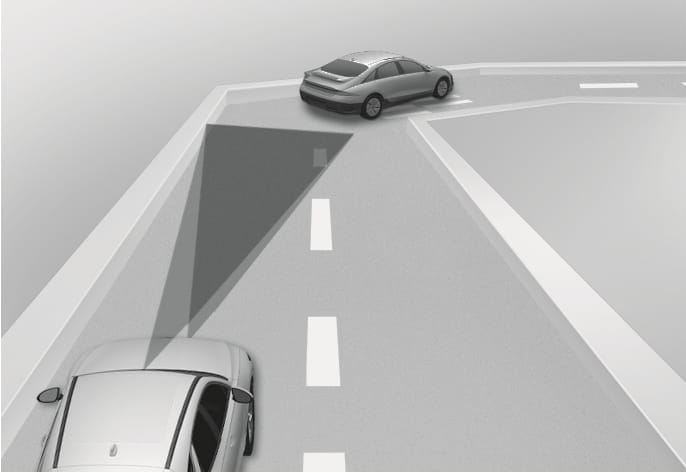
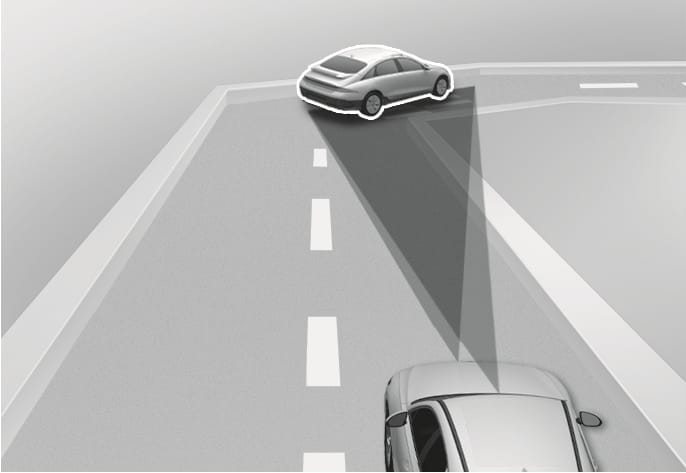
On curves, Smart Cruise Control may not detect a vehicle in the same lane, and may accelerate to the set speed. Your vehicle speed may be reduced if a vehicle is detected in an adjacent lane and your vehicle speed may rapidly decrease when a vehicle ahead is detected suddenly.
Select an appropriate set speed for curves and apply the brake pedal or accelerator pedal depending on the road and driving conditions.
-
Driving on hills
2C_FCADrivingOnIncline
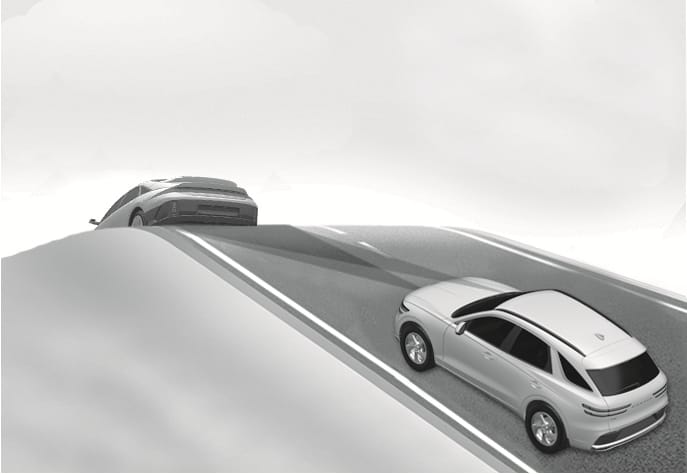
During uphill or downhill driving, Smart Cruise Control may not detect a moving vehicle in your lane, and cause your vehicle to accelerate to the set speed. Also, your vehicle speed rapidly decreases when a vehicle ahead is detected suddenly.
Select an appropriate set speed on inclines and apply the brake pedal or accelerator pedal depending on the road and driving conditions.
-
Changing lanes
2C_FCAChangingLane
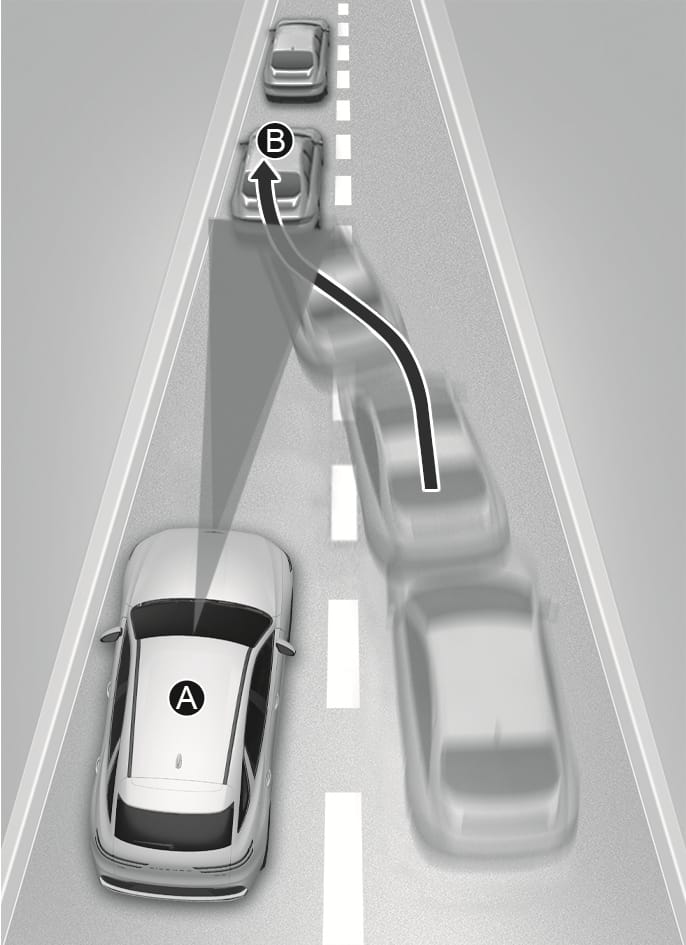
- Your vehicle
- Lane changing vehicle
When a vehicle moves into your lane from an adjacent lane, it cannot be detected by the sensor until it is in the sensor's detection range. Smart Cruise Control may not immediately detect the vehicle when your vehicle changes lanes abruptly. Brake as needed to reduce your driving speed.
-
Situations when detecting are limited
2C_SCCDetectingVehicle
2C_CameraRadarDetectingVehicle
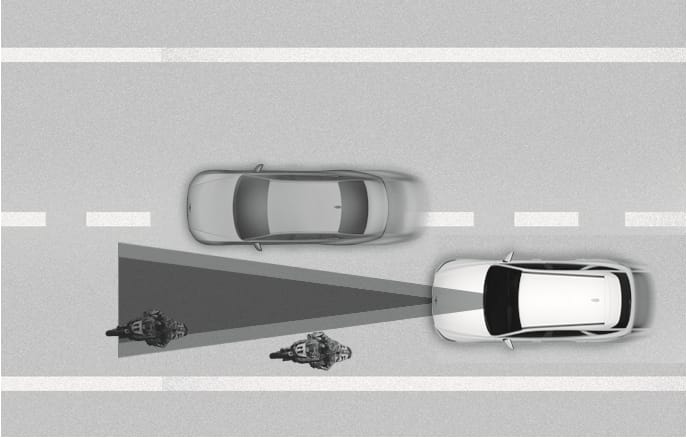
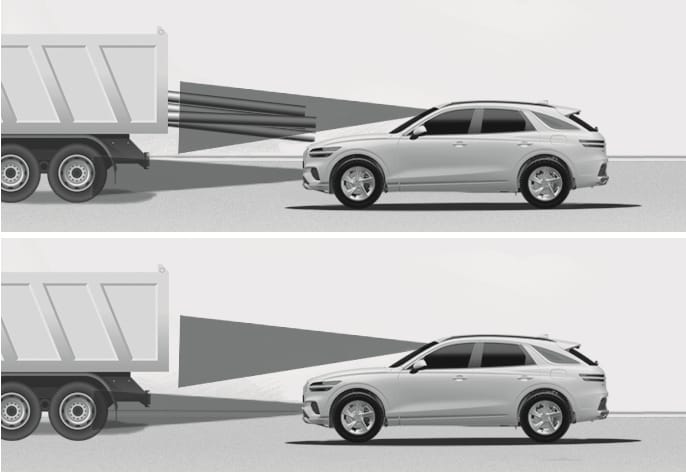
Some vehicles, pedestrians, or animals in your lane may not be detected by the sensor:
-
Vehicles offset to one side
-
Slow-moving vehicles or sudden decelerating vehicles
-
Vehicles with higher ground clearance or vehicles carrying loads that extend past the end of the vehicle
-
Vehicles that have the front tilted due to heavy loads
-
Vehicles within about 2 m from your vehicle
-
Oncoming vehicles
-
Stopped vehicles
-
Vehicles with small rear profile, such as trailers
-
Narrow vehicles, such as motorcycles or bicycles
-
Special vehicles
-
Animals and pedestrians
Brake as needed to reduce your driving speed.
-
-
In the following cases, the vehicle in front may not be detected by the sensor:
-
Making sharp steering inputs when driving
-
Driving on narrow or sharply curved roads
-
-
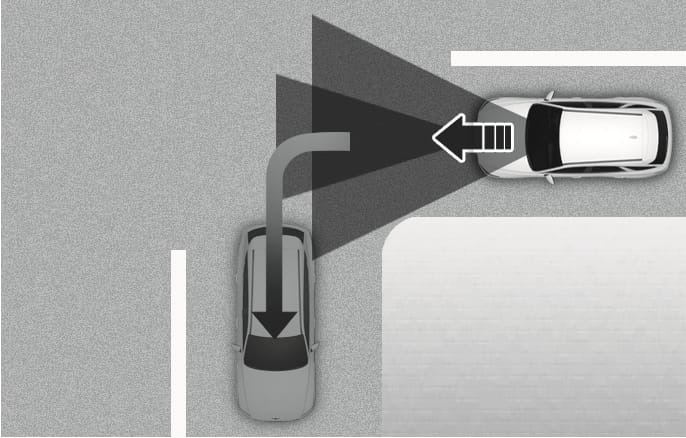
When a vehicle ahead turns at an intersection and is no longer detected, your vehicle may accelerate.
2C_SCCDrivingOnCrossroad
-
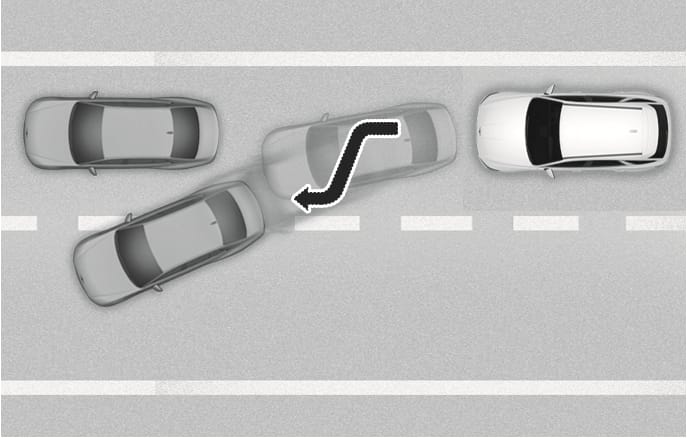
When a vehicle in front of you merges out of the lane, Smart Cruise Control may not immediately detect a new vehicle that is now in front of your vehicle.
2C_SCCVehicleAheadDisappears
-
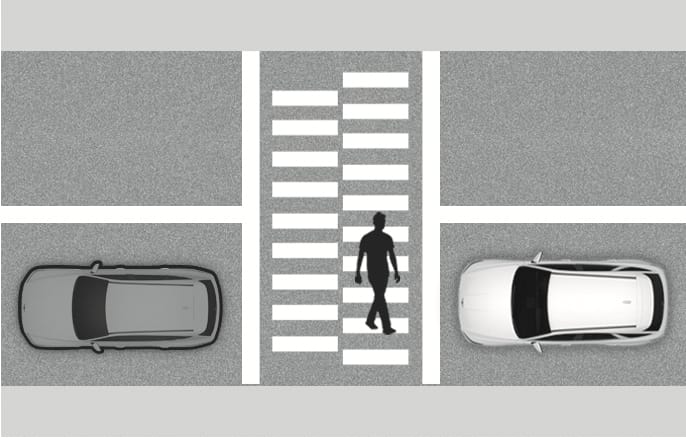
Always look out for pedestrians when your vehicle is maintaining a distance with the vehicle ahead.
2C_SCCPedestrianCaution