Cluster Display Messages
When the Engine Start/Stop button is pressed to the OFF position, a message may appear, indicating the internal battery of the smart key is low. Replace the smart key battery.
This message appears if the steering wheel does not unlock normally when the Engine Start/Stop button is pressed.
Press the Engine Start/Stop button while turning the steering wheel right and left.
This message appears if the steering wheel does not lock normally while the Engine Start/Stop button is pressed to the OFF position.
This message appears if the Engine Start/Stop button is pressed repeatedly without depressing the brake pedal.
Start the vehicle by depressing the brake pedal and then pressing the Engine Start/Stop button.
This message appears if the smart key is not in the vehicle when you left the vehicle with the Engine Start/Stop button in the ON or Start position.
Always turn off the engine before leaving your vehicle.
If you cannot start the vehicle after the Engine Start/ Stop button is pressed, attempt to start the engine by pressing the Engine Start/ Stop button again.
If the warning message appears each time you press the Engine Start/Stop button, have the vehicle inspected by an authorized retailer of Genesis Branded products.
This message appears if the smart key is not detected when you press the Engine Start/Stop button after accessing with the smart key.
This message appears if the brake switch fuse is disconnected.
Replace the fuse before starting the engine.
If that is not possible, start the engine by pressing the Engine Start/Stop button for 10 seconds in the ACC position.
This message appears if you try to start the engine in any other position except P (Park) or N (Neutral).
Start the engine with the vehicle in P (Park) with your foot depressing the brake pedal.
This message appears for 4 seconds when you place your finger on the fingerprint sensor, and it is verified while the engine is off.
You can start the vehicle by depressing the brake pedal and then pressing the Engine Start/Stop button. However, the engine starts when the Engine Start/ Stop button is pressed within 30 seconds after your fingerprint is verified and the immobilizer (
This message appears for 4 seconds when fingerprint authentication has failed more than five times while the engine is off. While the message is displayed, fingerprint authentication does not work even if you place your finger on the fingerprint sensor, and the engine does not start even if the Engine Start/Stop button is pressed.
Try again after the time indicated in the message has passed. Start the engine with the smart key or digital key.
If fingerprint authentication still does not work, refer to the "Fingerprint Authentication System" section in chapter 5.
If the vehicle is remotely started and Start Vehicle is deselected from the Settings menu in the infotainment system for Driver 1 and Driver 2, this message appears for up to 30 seconds when a door is opened after unlocking the doors with a digital key.
To drive your vehicle, place the registered digital key on the wireless charger, when this message appears.
If the vehicle is remotely started and Start Vehicle is selected from the Settings menu in the infotainment system for Driver 1 or Driver 2, this message appears for up to 30 seconds when a door is opened after unlocking the doors with a digital key or the Genesis Connected Services app.
To drive your vehicle, have an authorized fingerprint verified on the fingerprint sensor when this message appears.
If the vehicle is remotely started and Start Vehicle is selected from the Settings menu in the infotainment system for Driver 1 or Driver 2, this message appears for up to 30 seconds when a door is opened after unlocking the doors with a digital key or the Genesis Connected Services app.
To drive your vehicle, place the registered digital key on the wireless charger, or have your fingerprint verified on the fingerprint sensor when this message appears.
This message appears for up to 10 seconds if the driver's door is opened and the driver's seat belt is not fastened after turning on the engine with a fingerprint. After the message appears, a warning sounds when the door is closed.
Since the engine was started with a fingerprint, if the engine is turned off, and there is no smart key, digital key or a registered fingerprint in the vehicle, it may be difficult to start the engine again.
This message appears if there is a problem with the Digital Key or Fingerprint Authentication System. Contact an authorized retailer of Genesis Branded products.
This message appears if the 12 V battery voltage is low or if a current draw is detected that could drain the vehicle battery. Do not connect any external electronic devices to the battery system or battery discharge may occur.
If this message appears on the cluster and there are no other external electronic devices connected to the vehicle, have your vehicle inspected by an authorized retailer of Genesis Branded products.
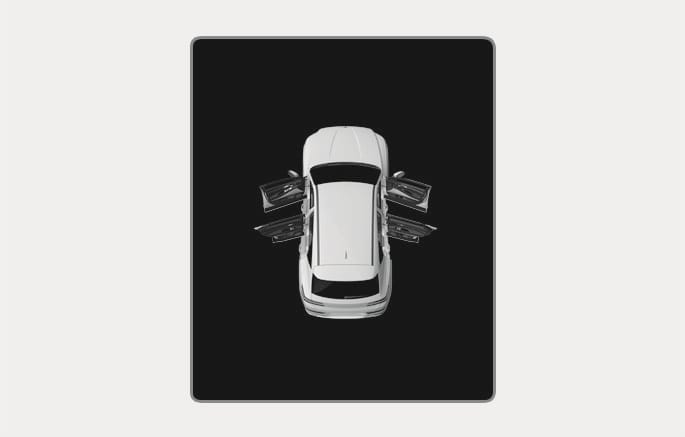
2C_DoorOpenWarning
This warning appears if any door or hood or liftgate is left open. The warning will indicate which door is open on the display.
Before driving the vehicle, confirm that the door, hood and liftgate are fully closed.
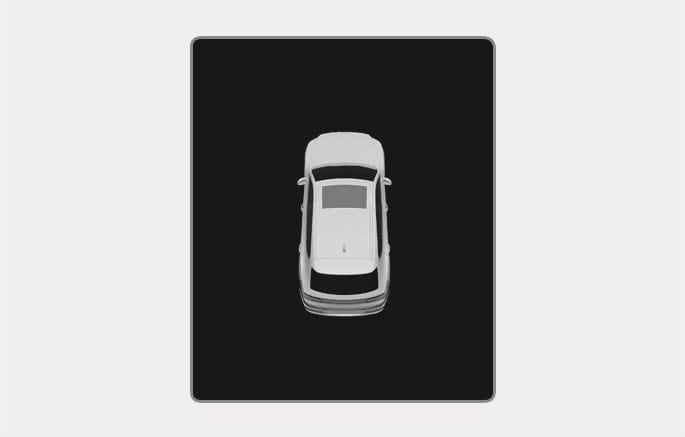
2C_SonroofOpenWarning
This warning appears if you turn off the engine when the sunroof is open.
Close the sunroof securely before leaving your vehicle.
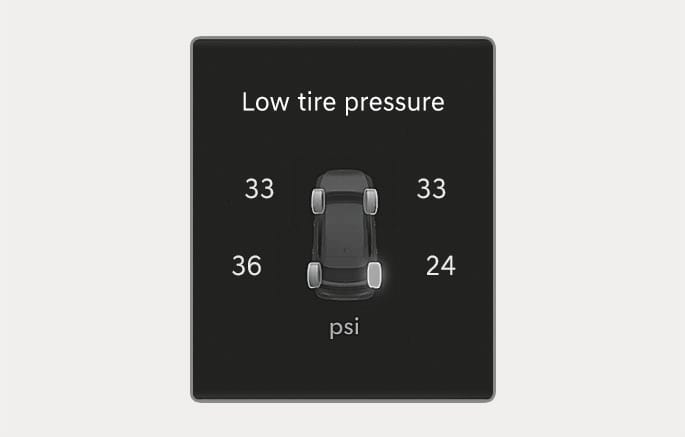
2C_TireLowPressureWarning
This warning message appears if the tire pressure is low. The corresponding tire on the vehicle illuminates.
For more information, refer to the "Tire Pressure Monitoring System (TPMS)" section in chapter 8.
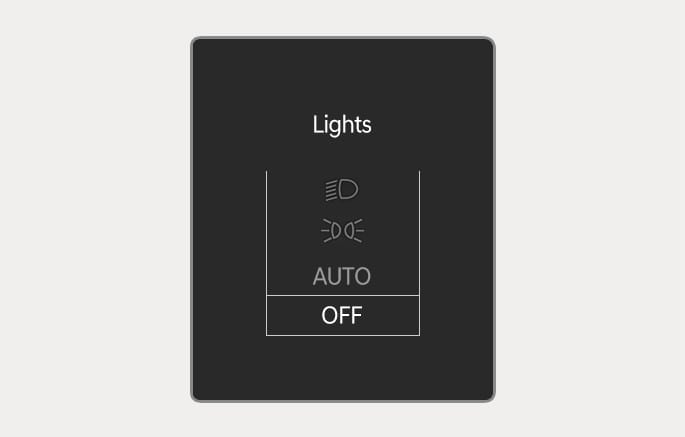
2C_LightMode
This indicator displays which exterior light is selected using the lighting control.
You can activate or deactivate Wiper/Lights display function from the Settings menu in the infotainment system. Select:
-
Setup > Vehicle > Cluster > Content Selection > Wiper/Lights Display
The infotainment system may change after software updates. For more information, refer to the infotainment system manual.
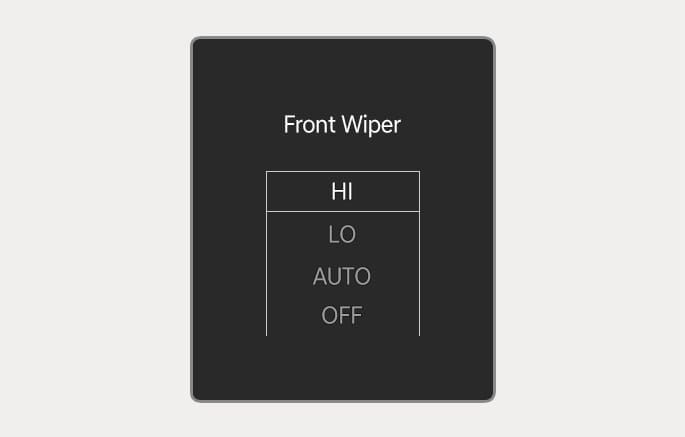
2C_FrontWiperMode
This indicator displays which wiper speed is selected using the wiper control.
You can activate or deactivate Wiper/Lights display function from the Settings menu in the infotainment system. Select:
-
Setup > Vehicle > Cluster > Content Selection > Wiper/Lights Display
The infotainment system may change after software updates. For more information, refer to the infotainment system manual.
This message appears if the washer fluid level in the reservoir is nearly empty.
Have the washer fluid reservoir refilled.
This message appears if the fuel tank is almost out of fuel.
When this message appears, the low fuel level warning light on the cluster comes on.
Refuel as soon as possible.
This warning message appears when the engine oil level should be checked.
Check the engine oil level as soon as possible and add engine oil as required.
Slowly pour the recommended oil into a funnel.
Refer to the "Recommended Lubricants and Capacities" section in chapter 2.
Do not overfill the engine oil. Make sure the oil level is not above F (Full) mark on the dipstick.
When the engine oil level warning message is displayed, it is necessary to check whether maintenance schedule (Engine oil replacement) in owner's manual has been followed before, and if not followed, the engine oil must be replaced first.
After adding engine oil, if you travel about 31-62 mi. (50-100 km) after the engine warms up, the warning message should disappear. If the warning message remains on, have your vehicle inspected by an authorized retailer of Genesis Branded products as soon as possible.
This message appears when the engine coolant temperature is above about 248 °F (120 °C). The engine is overheated and may be damaged.
If your vehicle is overheated, refer to the "If the Engine Overheats" section in chapter 8.
This message appears if there is a problem with the GPF system. At this time, the GPF warning light will also blink. If this occurs, have the GPF system inspected by an authorized retailer of Genesis Branded products.
GPF: Gasoline Particulate Filter
This message appears if there is a problem with the haptic steering wheel system. Have your vehicle inspected by an authorized retailer of Genesis Branded products.
This message appears if the headlamps are not operating properly.
Replace the burned out bulb with a new one with the same wattage rating.
This message appears if the turn signal lamps are not operating properly.
Replace the burned out bulb with a new one with the same wattage rating.
This message appears if there is a problem with the LED headlight. Have your vehicle inspected by an authorized retailer of Genesis Branded products.
This message appears if there is a malfunction with the air flap or controller.
Depending on external vehicle conditions, a warning message may be displayed even when the AAF is not malfunctioning. Please check for freezing conditions, foreign objects, or any other obstructions on the flap.