Side View Mirrors
2C_SideViewMirror
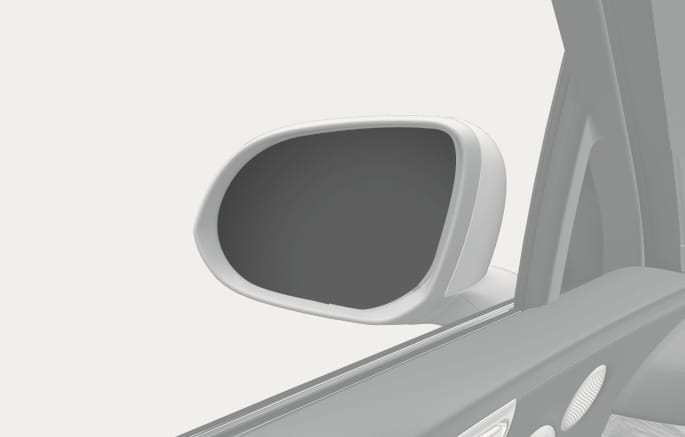
Your vehicle is equipped with both left-hand and right-hand side view mirrors. The mirrors can be adjusted remotely with the mirror adjustment control switch. Adjust the side view mirrors to your desired position before driving.
The right side view mirror is convex. Objects seen in the mirror are closer than they appear.
Use the inside rear view mirror or turn your head and look directly to determine the actual distance of other vehicles prior to changing lanes.
Do not adjust or fold the side view mirrors while driving. This may cause loss of vehicle control resulting in a collision.
-
Do not scrape ice off the mirror face. This may damage the surface of the glass.
-
If the mirror is jammed with ice, do not adjust the mirror by force. Use an approved de-icer (not radiator antifreeze) spray, or a sponge or soft cloth with very warm water, or move the vehicle to a warm place and allow the ice to melt.
-
Do not clean the mirror with harsh abrasives, fuel, or other petroleum based cleaning products.
2C_AdjustSideViewMirror
-
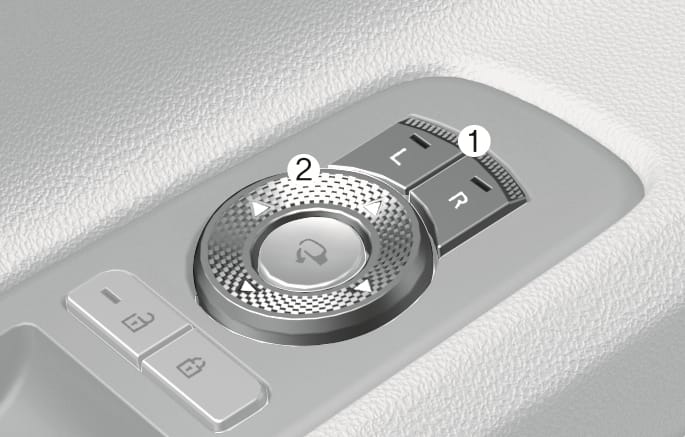
Press the L (Left side) or R (Right side) button (1) to select the side view mirror you want to adjust.
-
Use the mirror adjustment control (2) to position the selected mirror up, down, left, or right.
-
After adjustment, press both L and R button off (indicator light off) to prevent unintended adjustment.
-
The mirrors stop moving when they reach the maximum adjusting angles, but the motor continues to operate while the switch is pressed. Do not press the switch longer than necessary, because this can damage the motor.
-
Do not adjust the side view mirror by hand to prevent damage to the motor.
Folding button
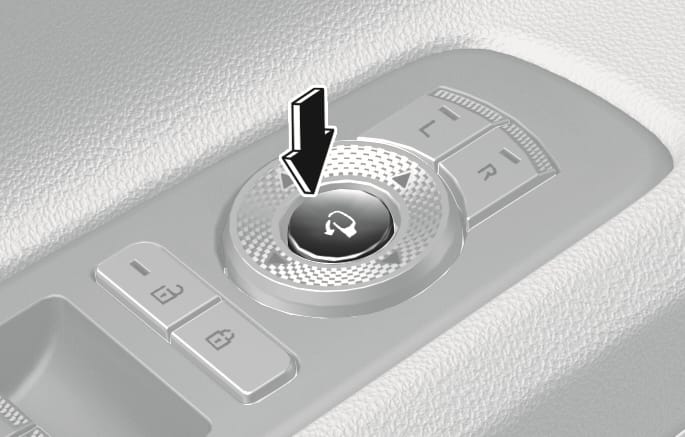
Press the button to fold or unfold the side view mirrors.
2C_FoldSideViewMirror
Infotainment system setting
-
Enable on door unlock
If Setup > Vehicle > Welcome Mirror > Enable on Door Unlock is selected from the Settings menu in the infotainment system,
-
The mirror folds or unfolds when the door is locked or unlocked by the smart key.
-
The mirror folds or unfolds when the door is locked or unlocked by the touch sensor on the outside door handle.
-
-
Enable on driver approach
If Setup > Vehicle > Welcome Mirror > Enable on driver approach is selected from the Settings menu in the infotainment system, the mirror unfolds when the vehicle is approached with the smart key in possession.
The infotainment system may change after software updates. For more information, refer to the infotainment system manual.
The electric type side view mirror operates even though the Engine Start/Stop button is in the OFF position. However, to prevent unnecessary battery discharge, do not adjust the mirrors longer than necessary while the engine is not running.
Do not fold the electric type side view mirror by hand. It could cause motor failure.