Air ventilation seats
The air ventilation seats cool the front seats by blowing air through small vent holes on the surface of the seat cushions and seatbacks.
When air ventilation is not desired, keep the air ventilation seats off.
To prevent damage to the air ventilation seats:
-
Never use a solvent such as paint thinner, benzene, alcohol or gasoline to clean the seats.
-
Avoid spilling liquids on the surface of the front seats and seatbacks. This may cause the air vent holes to become blocked and not work properly.
-
Do not place materials such as plastic bags or newspapers under the seats. They may block the air intake causing the air vents not to work properly.
-
Do not change the seat covers.
-
If the air vents do not operate, restart the vehicle. If there is no change, we recommend that your vehicle be inspected by an authorized retailer of Genesis Branded products.
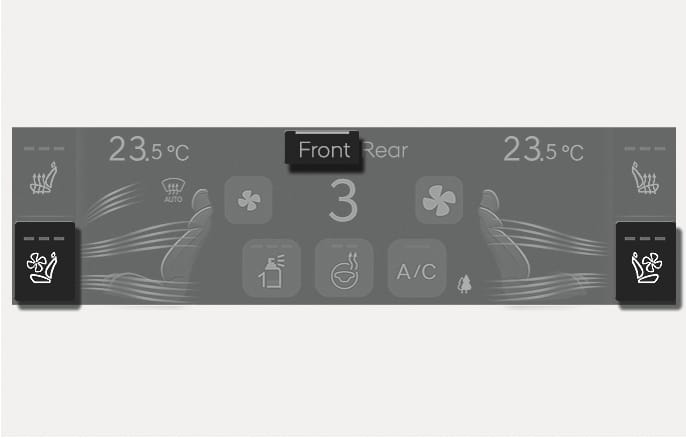
2C_FrontSeatVentilationSwitch
-
While the engine is running, press Front on the upper part of the climate control information screen.
-
The climate control information screen for the front seats are displayed.
-
-
Press the button to cool the driver's seat or front passenger's seat.
-
The fan speed changes from high, medium, low, and to off each time the button is pressed.
-
-
If the air ventilation seat is positioned to high, fan speed increases depending on the vehicle speed and driving time.
-
Use the air ventilation seat with the air conditioning on for more effective ventilation.
-
After the air ventilation seat is turned on, it takes 3-5 minutes for the passengers to notice the temperature change.
-
Automatic Controls Linked to Climate Control Settings (for driver's seat)
The air ventilation seat automatically controls the seat temperature depending on the ambient temperature when the engine is running.
To use this function, enable it from the Settings menu in the infotainment system. Select:
-
Setup > Vehicle > Seat > Heated/Ventilated Features > Automatic Controls Linked to Climate Control Settings > Driver Seat Warmer/Ventilation (or Seat heating/ventilation)
-
-
The air ventilation seats default to the OFF position whenever the Engine Start/Stop button is pressed to the ON position. However, if the Automatic Controls Linked to Climate Control Settings function is on, the driver’s air ventilation seat turns on and off depending on the ambient temperature.
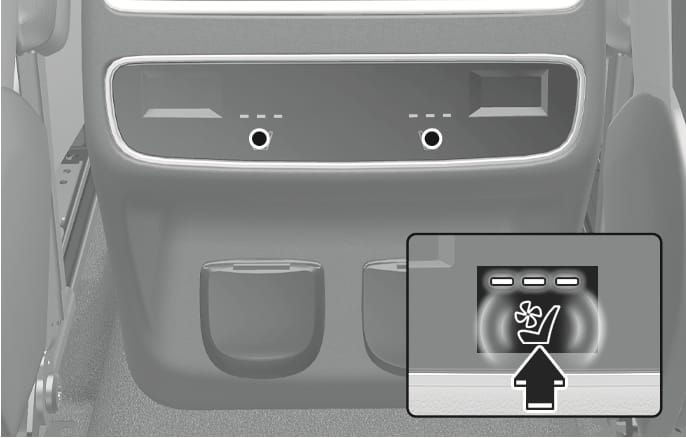
2C_RearSeatVentilationSwitch
While the engine is running, press the button to cool the seat.
-
The fan speed changes from high, medium, low, and to off each time the button is pressed.
-
If the air ventilation seat is positioned to high, fan speed increases depending on the vehicle speed and driving time.
-
Use the air ventilation seat with the air conditioning on for more effective ventilation.
-
After the air ventilation seat is turned on, it takes 3-5 minutes for the passengers to notice the temperature change.
-
The air ventilation seat defaults to the OFF position whenever the Engine Start/Stop button is pressed to the ON position.
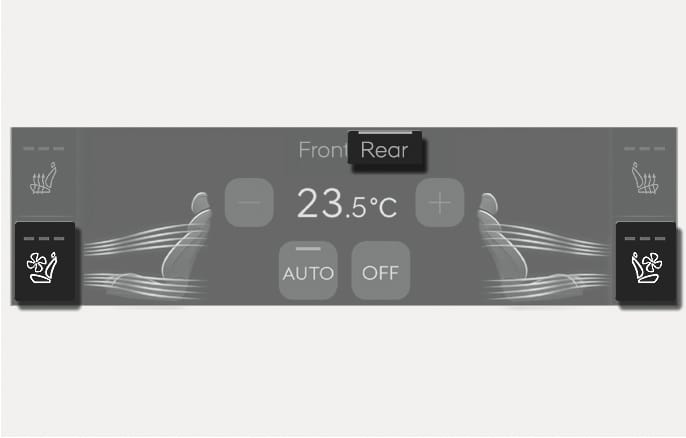
2C_FromTheFrontSeatsRearSeatVentilationSwitch
Rear seat air ventilation can be turned on or off from the front seats.
-
Press Rear on the upper part of the climate control information screen while the engine is running.
-
The climate control information screen for the rear seats are displayed.
-
-
Press button next to the seat which requires ventilating from the climate control information screen.
-
The fan speed changes from high, medium, low, and to off each time the button is pressed.
-