Smart Cruise Control settings
2C_SCCBasedOnDrivingStyleInfo
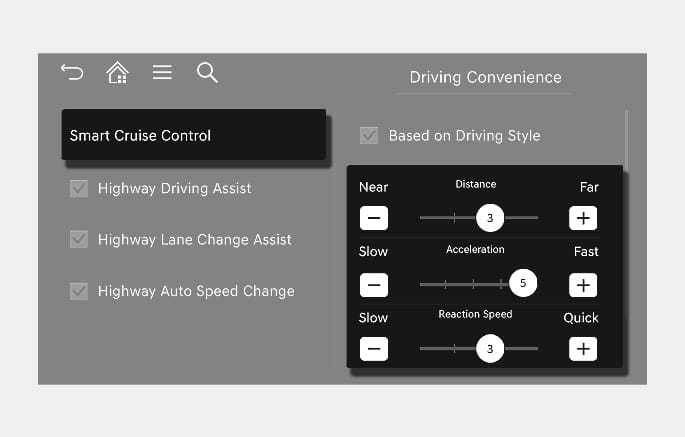
With the engine on, select Setup > Vehicle > Driver Assistance > Driving Convenience > Smart Cruise Control (or SCC (Smart Cruise Control)) from the Settings menu in the infotainment system to adjust Distance, Acceleration, and Response Speed manually.
2C_SCCBasedOnStyle
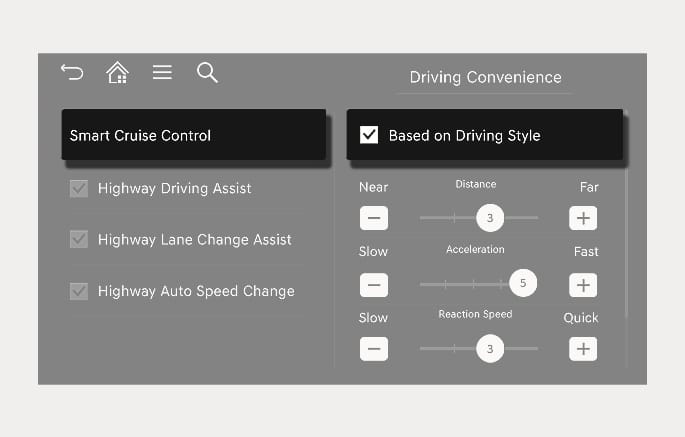
With the engine on, if Setup > Vehicle > Driver Assistance > Driving Convenience > Smart Cruise Control > Based on Driving Style is selected from the Settings menu, Smart Cruise Control operates based on your driving style, such as vehicle distance, acceleration, and reaction speed.
-
While Smart Cruise Control is operating with Based on Driving Style selected, if you press and hold the Vehicle Distance (
å ) button, Based on Driving Style deactivates. If you press and hold the Vehicle Distance (å ) button again, Driving Style Setting activates. -
Based on Driving Style setting continuously learns your driving style when the vehicle is being driven.
-
When Based on Driving Style is deactivated, the driving style such as vehicle distance, acceleration, and reaction speed maintains in the same stage.