Remote start
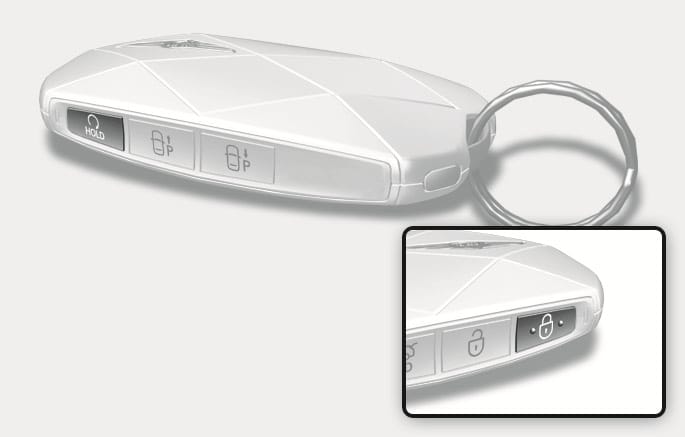
2C_SmartKeyRemoteStartButton
You can start the vehicle using the Remote Start button on the smart key.
To start the vehicle remotely:
-
Press the door lock (
Č ) button within 10 m (32 ft.) from the vehicle. -
Press and hold the remote start (
ƙ ) button within 4 seconds.
To turn off the engine:
Press the remote start (
-
The vehicle does not remotely start if the hood or tailgate is opened.
-
The vehicle must be in P (Park).
-
The engine turns off if you get in the vehicle without a registered smart key or you do not get in the vehicle within 10 minutes.