Auto Hold
Auto Hold maintains the vehicle in a standstill even though the brake pedal is not depressed after the driver brings the vehicle to a complete stop by depressing the brake pedal.
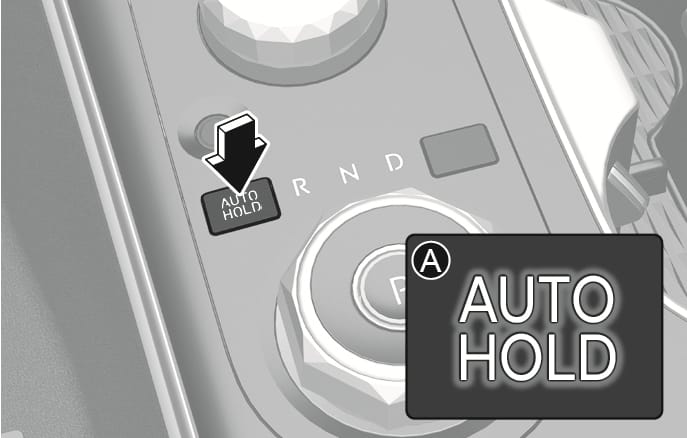
2C_AutoHoldButtonOn
-
With the driver's door, hood, and tailgate closed depress the brake pedal and then press the AUTO HOLD switch. The white
N indicator comes on and the system is in standby.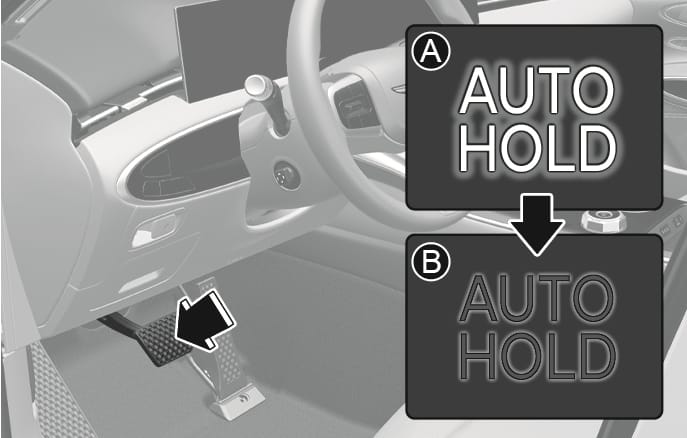
2C_AutoHoldButtonOn_1
- White
- Green
-
When you stop the vehicle completely by depressing the brake pedal, Auto Hold maintains the brake pressure to hold the vehicle stationary. The indicator changes from white to green.
The vehicle remains stationary even if you release the brake pedal.
-
If you depress the accelerator pedal with the gear in D (Drive), R (Reverse), or Manual shift mode, the Auto Hold is released automatically and the vehicle starts to move. The
N indicator changes from green to white.
Always look around your vehicle before depressing the accelerator pedal to release Auto Hold.
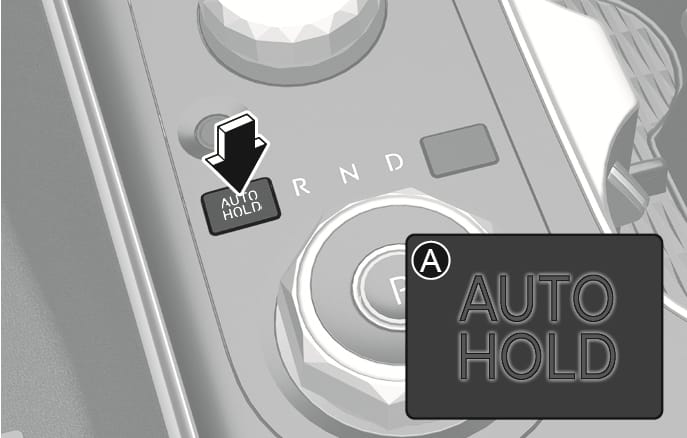
2C_AutoHoldButtonOff
-
Depress and hold the brake pedal.
-
Press the AUTO HOLD switch.
The
N indicator will turn off.
To prevent unintended vehicle movement, always depress your foot on the brake pedal to cancel the Auto Hold before you:
-
Drive downhill.
-
Drive the vehicle in R (Reverse).
-
Park the vehicle.
-
The Auto Hold does not operate when:
-
The driver's door or hood is opened.
-
The tailgate is opened.
-
The gear is in P (Park).
-
EPB is applied.
-
-
The Auto Hold automatically switches to EPB when:
-
The driver's door or hood is opened.
-
The vehicle is in a standstill for more than 10 minutes.
-
The vehicle is standing on a steep slope.
-
The vehicle moved several times.
-
The tailgate is opened.
In these cases, the Parking Brake warning light comes on, the
N indicator changes from green to white, and a warning sounds and a message appears to inform you that EPB has been automatically engaged. Before driving, depress the brake pedal, check the surrounding area, and release the parking brake manually with the EPB switch. -
If the
Parking brake automatically engaged / Parking brake automatically applied
When EPB is applied while Auto Hold is activated, a warning sounds and a message appears.
AUTO HOLD turning Off! Press brake pedal / Turning off AUTO HOLD. Press brake pedal.
When the conversion from Auto Hold to EPB is not working properly a warning sounds and a message appears.
When this message is displayed, Auto Hold and EPB may not operate. For your safety, depress the brake pedal.
Press brake pedal to deactivate AUTO HOLD
If you did not apply the brake pedal when you release Auto Hold by pressing the AUTO HOLD switch, a warning sounds and a message appears on the cluster display.
AUTO HOLD conditions not met. Close door and hood.
When you press the AUTO HOLD switch, if the driver's door and engine hood are not closed, a warning will sound and a message will appear on the cluster display.
Press the AUTO HOLD switch after closing the driver's door and hood.