Forward Collision-Avoidance Assist (FCA)
Basic function
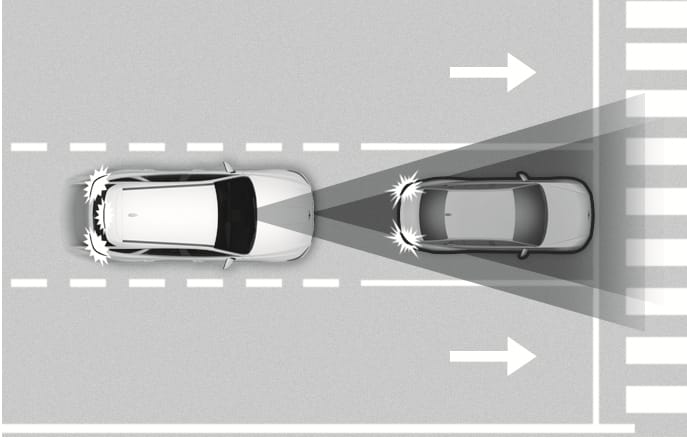
2C_FCABasicFunction
Forward Collision-Avoidance Assist helps detect a vehicle, a motorcyclist, a pedestrian, or a cyclist ahead on the road and may warn you of a possible collision with a warning message on the instrument cluster and a warning sound. Also, Forward Collision-Avoidance Assist may assist with braking your vehicle to help reduce collision speed or help avoid a collision.
In addition, when driving at high speeds, Forward Collision-Avoidance Assist helps detect vehicles in front and adjacent lanes. If a collision is imminent when changing lanes, Forward Collision-Avoidance Assist will apply emergency braking to help reduce collision speed or help avoid a collision. (if equipped)
A motorcyclist refers to the driver of a vehicle riding the following powered two-wheeler.
-
Mopeds with 50 cc and restricted top speeds
-
Motorcycles
Junction Turning function
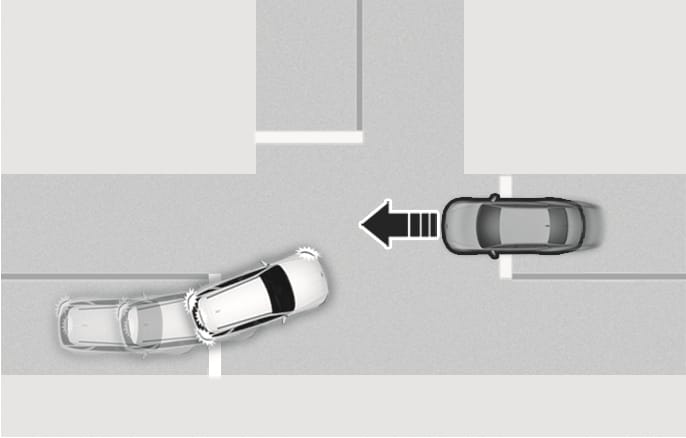
2C_FCAJunctionTurningFunction
Junction Turning function helps avoid a collision with an oncoming vehicle or motorcyclist in an adjacent lane when turning left (left-hand drive) or right (right-hand drive) at a crossroad with the turn signal on by applying emergency braking.
Direct Oncoming function
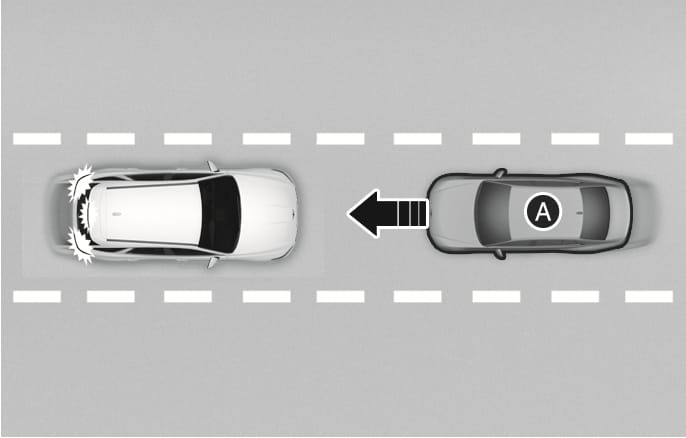
2C_FCADirectOncomingfunction
- Oncoming vehicle
Direct Oncoming function helps reduce the speed at a collision when a vehicle or motorcyclist approaching from the opposite side is detected.
Junction Crossing function
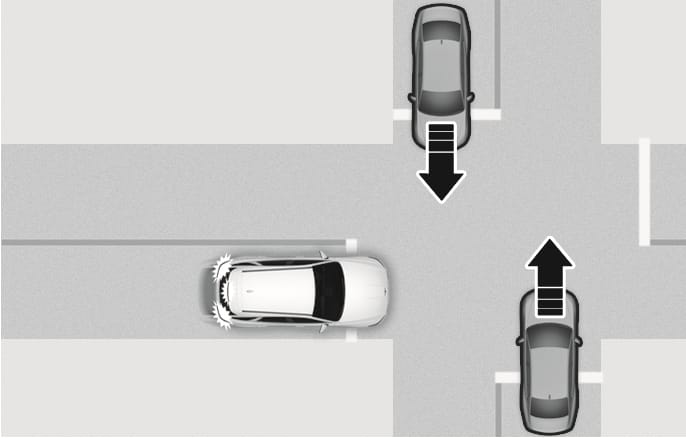
2C_FCAJunctionCrossingfunction
Junction Crossing function helps avoid a collision with oncoming vehicles on the left or right side when crossing an intersection by applying emergency braking.
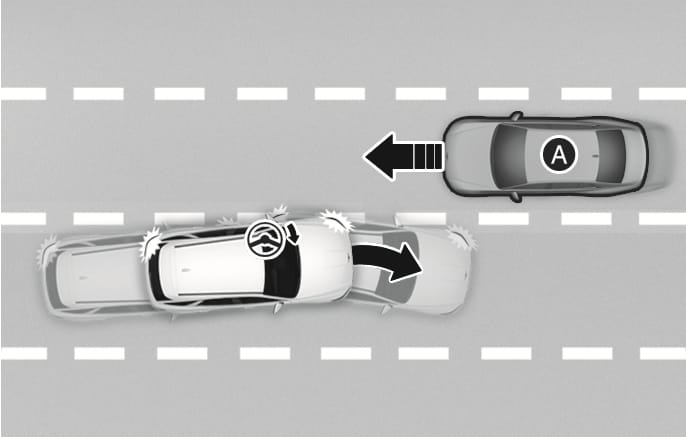
Lane-Change Oncoming function
2C_FCALaneOvertakingOncomingFunction
- Oncoming vehicle
Lane-Change Oncoming function helps avoid a collision with an oncoming vehicle or motorcyclist when changing lanes by assisting the driver's steering.
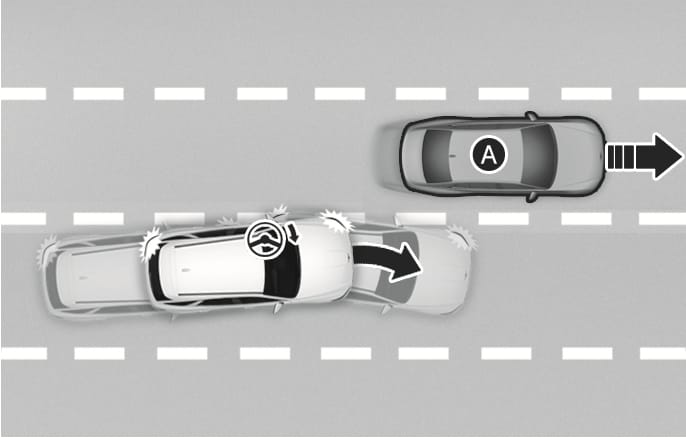
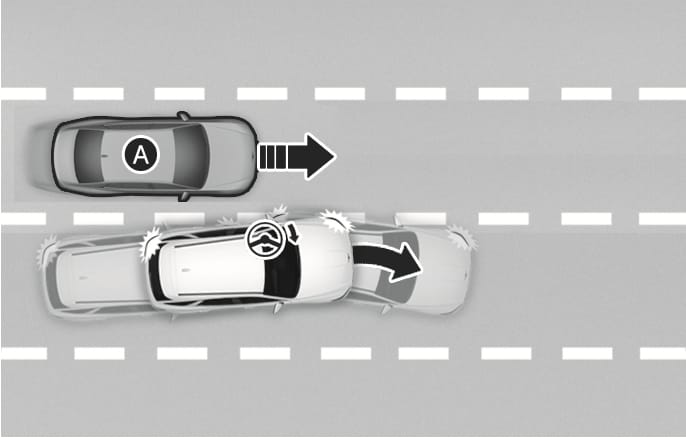
Lane-Change Side function
2C_FCALaneChangeSideFunction
2C_FCALaneChangeSideFunction_2
- Front-side vehicle
Lane-Change Side function helps avoid a collision with the vehicle or motorcyclist ahead in the next lane when changing lanes by assisting the driver's steering.
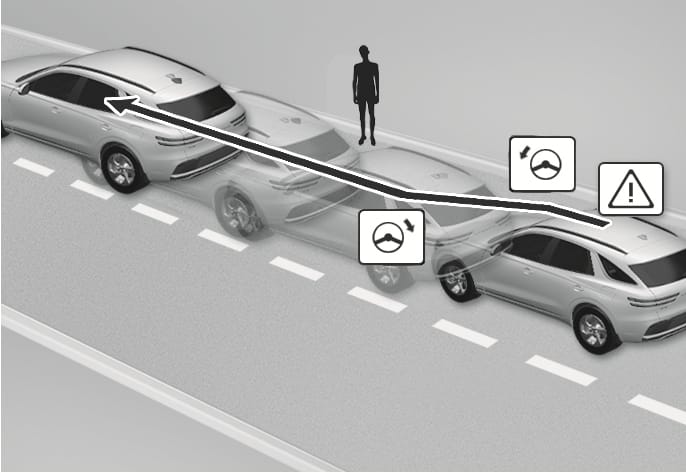
Evasive Steering Assist function
2C_FCAEvasiveSteeringAssistFunction
-
Driver steering assist
Evasive Steering Assist function helps avoid a collision with a vehicle, motorcyclist, pedestrian, or cyclist ahead in the same lane. When a collision risk is detected, Evasive Steering Assist function warns the driver and if the driver steers to avoid collision it assists the driver's steering.
-
Evasive steering assist
Evasive Steering Assist function helps avoid a collision with a motorcyclist, pedestrian or cyclist ahead in the same lane. When a collision risk is detected, Evasive Steering Assist function warns the driver and if there is space to avoid collision in the lane, it assists the driver's steering.
Evasive Steering Assist function operates when there is a collision risk an d sufficient operating area between your vehicle and the detected pedestrian or cyclist ahead.
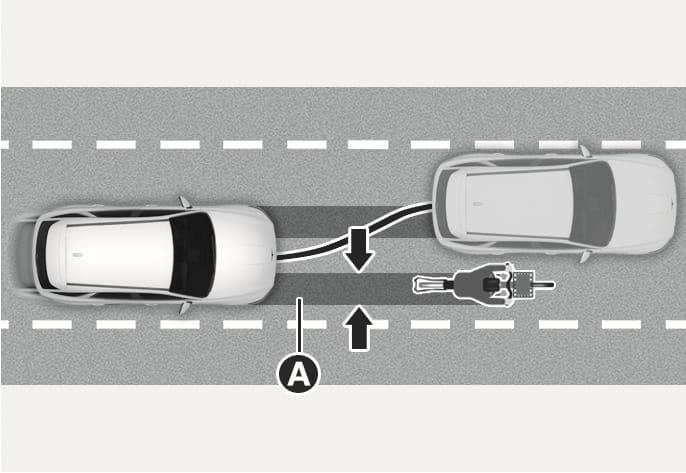
2C_EvasiveSteeringAssist
- Operating Area of Evasive Steering Assist function