Cruise Control operation
-
Accelerate to the desired speed, which must be more than 30 km/h (20 mph).
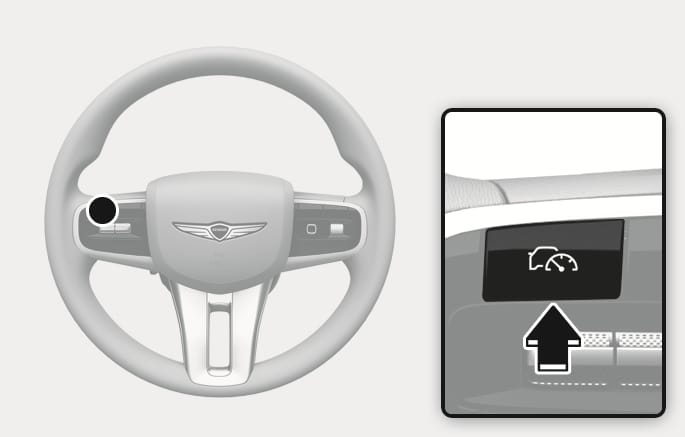
2C_SpeedControlButton
-
Press the Driving Assist button at the desired speed. The set speed and Cruise (
Ü ) light illuminates on the instrument cluster. -
Release the accelerator pedal.
Vehicle speed maintains the set speed even when the accelerator pedal is not depressed.
-
The vehicle may slightly slow down or speed up while driving uphill or downhill.
-
The Driving Assist button symbol may differ depending on your vehicle option.
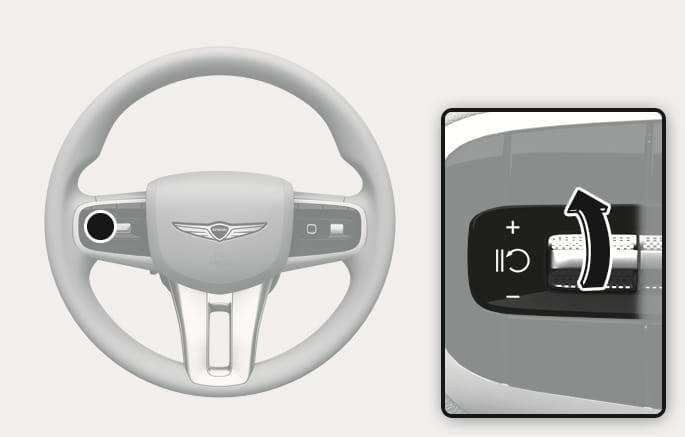
2C_SCCSpeedUpSwitch
-
Push the
î switch up and release it immediately to increase the cruising speed by 1 km/h (1 mph). -
Push and hold the
î switch up to increase to the nearest multiple of 10 km/h (or multiple of 5 mph) at first, and then increase by an additional 10 km/h (5 mph) each time.
The set speed may differ depending on the vehicle specifications. You may not increase the set speed above the maximum set speed.
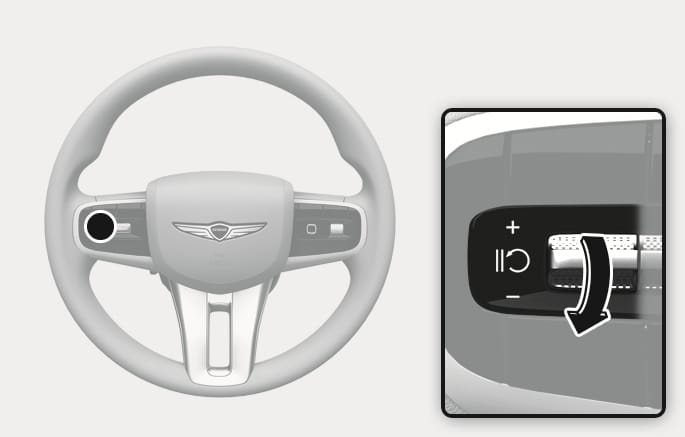
2C_SCCSpeedDownSwitch
-
Push the
ï switch down and release it immediately to decrease the cruising speed by 1 km/h (1 mph). -
Push and hold the
ï switch down to decrease to the nearest multiple of 10 km/h (or multiple of 5 mph) at first, and then decrease by 10 km/h (5 mph) each time.
If you want to accelerate temporarily when Cruise Control is on, depress the accelerator pedal.
To return to the set speed, take your foot off the accelerator pedal.
If you push the
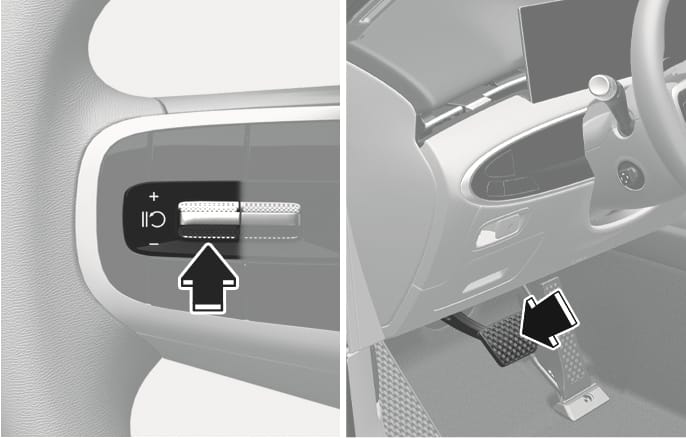
2C_SCCTemporaryPausing
Cruise Control cancels when:
-
Depressing the brake pedal.
-
Pressing the
è switch. -
Shifting the gear to N (Neutral).
-
Decreasing your vehicle speed to less than about 30 km/h (20mph).
-
Operating ESC (Electronic Stability Control).
-
Downshifting to 2nd gear in Manual Shift mode.
The set speed turns off but the Cruise (
If Cruise Control cancels during a situation not listed above, we recommend that your vehicle be inspected by an authorized retailer of Genesis Branded products.
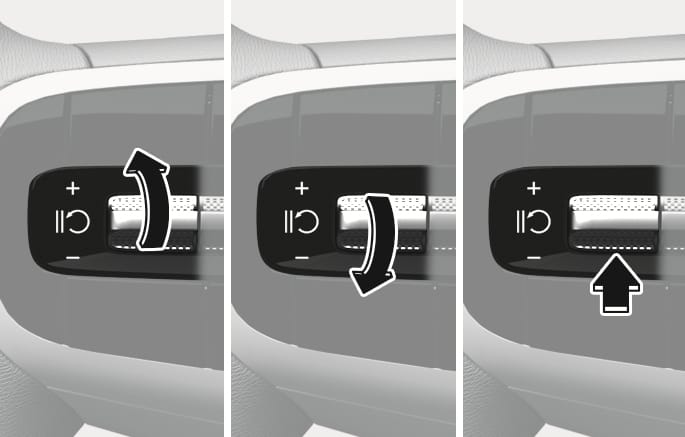
2C_SpeedControlResuming
Operate the
If you push the
If you press the
Your vehicle speed must be above 30 km/h (20 mph) for Cruise Control to resume.
Your vehicle speed may rapidly increase or decrease when you press the
2C_SpeedControlButton
Press the Driving Assist button to turn off Cruise Control. The Cruise (
Always press the Driving Assist button to turn Cruise Control off when not in use.
If your vehicle is equipped with Manual Speed Limit Assist, press and hold the Driving Assist button to turn off Cruise Control and turn on Manual Speed Limit Assist.
To prevent serious injury or death:
-
Set your vehicle speed to the speed limit for the road and use the appropriate unit (km/h or mph) for your country.
-
Keep Cruise Control off when not in use, to avoid inadvertently setting a speed. Check that the Cruise (
Ü ) indicator is off. -
Always drive defensively and pay attention to the driving task.
-
Do not use Cruise Control when it may be unsafe to keep your vehicle at a constant speed including when driving:
-
in heavy traffic, or when traffic conditions make it difficult to drive at a constant speed
-
on rainy, icy, or snow-covered roads
-
on hilly or windy roads
-
in windy areas
-
with limited visibility such as fog, snow, rain, and sandstorm
-
-
Do not use Cruise Control when towing a trailer.