Auto Hold
Auto Hold maintains the vehicle in a standstill even though the brake pedal is not pressed after the driver brings the vehicle to a complete stop by pressing the brake pedal.
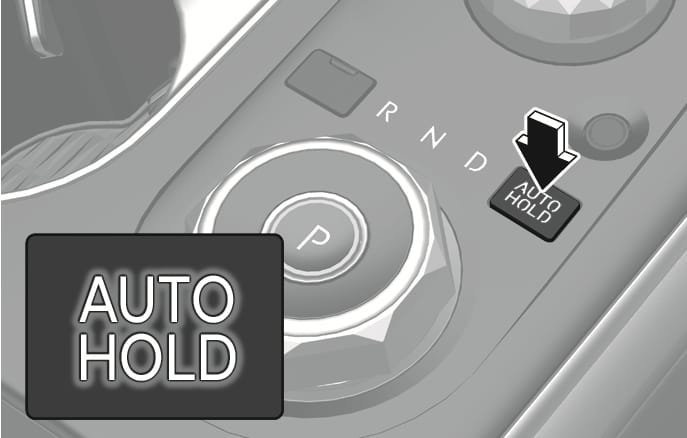
2C_AutoHoldButtonOn
-
With the driver's door, bonnet, and tailgate closed press the brake pedal and then press the AUTO HOLD switch. The white
N indicator comes on and the system is in standby.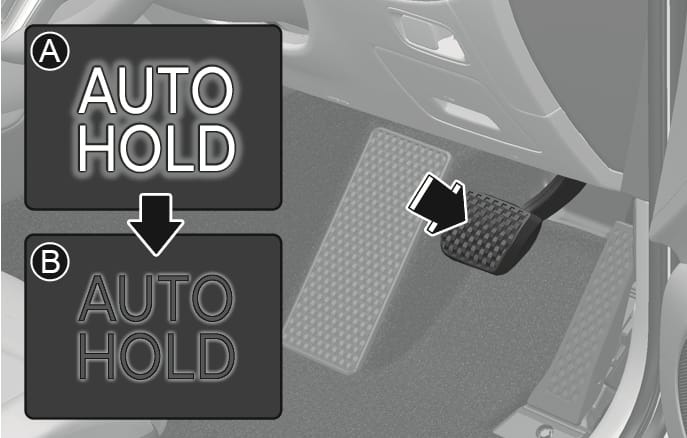
2C_AutoHoldButtonOn_1
- White
- Green
-
When you stop the vehicle completely by pressing the brake pedal, Auto Hold maintains the brake pressure to hold the vehicle stationary. The indicator changes from white to green.
The vehicle remains stationary even if you release the brake pedal.
-
If you press the accelerator pedal with the gear in D (Drive), R (Reverse), or Manual shift mode, the Auto Hold is released automatically and the vehicle starts to move. The
N indicator changes from green to white.
Always look around your vehicle before pressing the accelerator pedal to release Auto Hold.
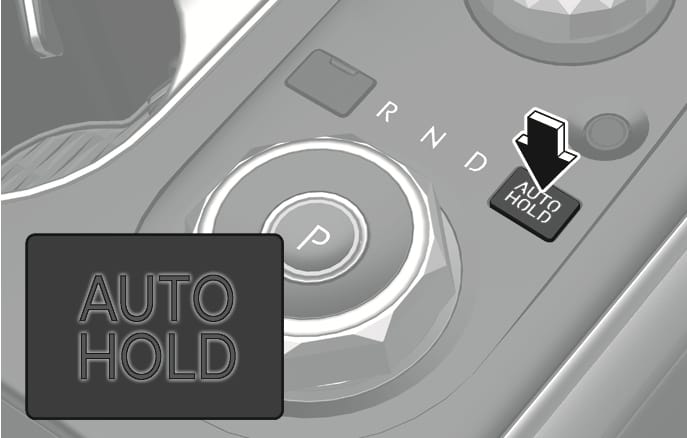
2C_AutoHoldButtonOff
-
Press and hold the brake pedal.
-
Press the AUTO HOLD switch.
The
N indicator will turn off.
To prevent unintended vehicle movement, always press your foot on the brake pedal to cancel the Auto Hold before you:
-
Drive downhill.
-
Drive the vehicle in R (Reverse).
-
Park the vehicle.
-
The Auto Hold does not operate when:
-
The driver's door or bonnet are open.
-
The tailgate is open.
-
The gear is in P (Park).
-
EPB is applied.
-
-
The Auto Hold automatically switches to EPB when:
-
The driver's door or bonnet is opened.
-
The vehicle is in a standstill for more than 10 minutes.
-
The vehicle is standing on a steep slope.
-
The vehicle moved several times.
-
The tailgate is opened.
In these cases, the Parking Brake warning light comes on, the
N indicator changes from green to white, and a warning sounds and a message appears to inform you that EPB has been automatically engaged. Before driving, press the brake pedal, check the surrounding area, and release the parking brake manually with the EPB switch. -
If the
Parking brake automatically applied
When EPB is applied whilst Auto Hold is activated, a warning sounds and a message appears.
Turning off AUTO HOLD. Press brake pedal.
When the conversion from Auto Hold to EPB is not working properly a warning sounds and a message appears.
When this message is displayed, Auto Hold and EPB may not operate. For your safety, press the brake pedal.
Press brake pedal to deactivate AUTO HOLD
If you did not apply the brake pedal when you release Auto Hold by pressing the AUTO HOLD switch, a warning sounds and a message appears on the instrument cluster display.
AUTO HOLD conditions not met. Close door and bonnet.
When you press the AUTO HOLD switch, if the driver's door and engine bonnet are not closed, a warning will sound and a message will appear on the instrument cluster display.
Press the AUTO HOLD switch after closing the driver's door and bonnet.